
How I Built a Study Workflow in Obsidian That Never Loses a Note
A 14-month experiment to build a study system that never loses track of what you learn.

I spent the last 14 months building and stress-testing a Study Setup in Obsidian with one of the hardest finance exams out there. I partnered with people who passed CFA Levels 1–3, and we built a system from the ground up that doesn’t break under pressure.
I’m damn proud of how it turned out.
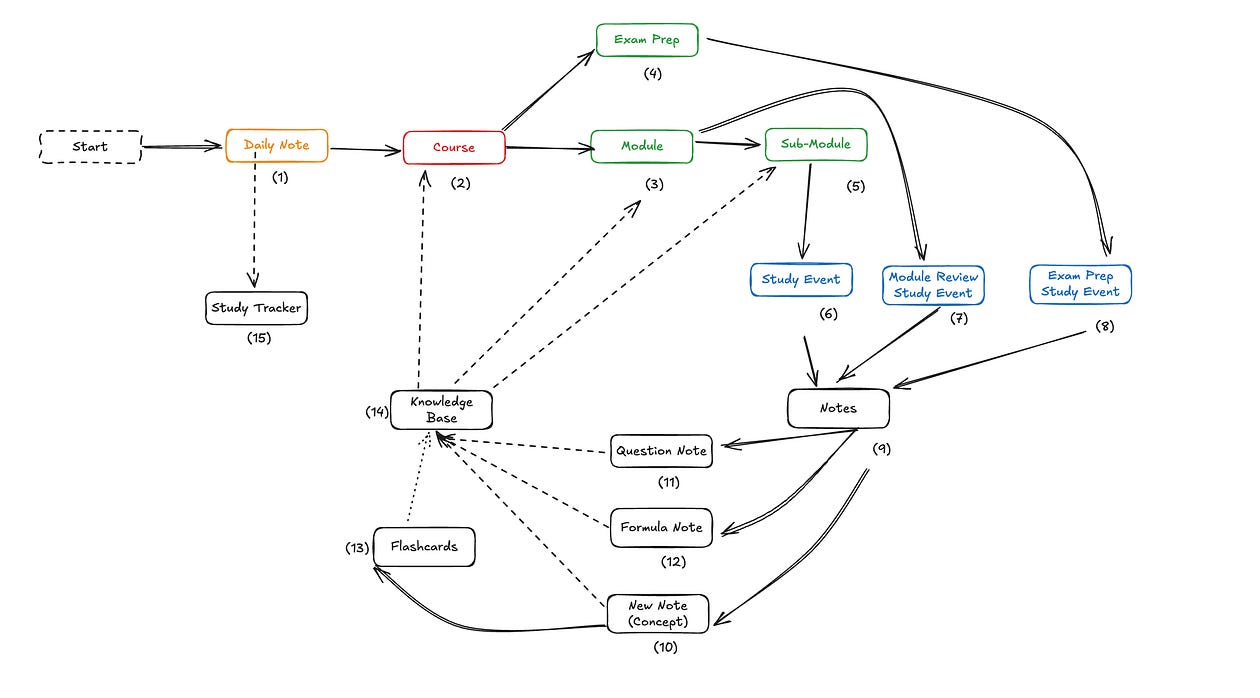
A Better Way to Think About Your Study System
Most people upgrade their study space the wrong way.
They start at a tiny desk. When it fills up, they upgrade to the kitchen table. For a week it feels spacious, then the papers, binders, and loose notes spread until the table looks exactly like the desk did.
People upgrade because they hope space will create clarity, but space without structure just multiplies the mess and spreads the shit.
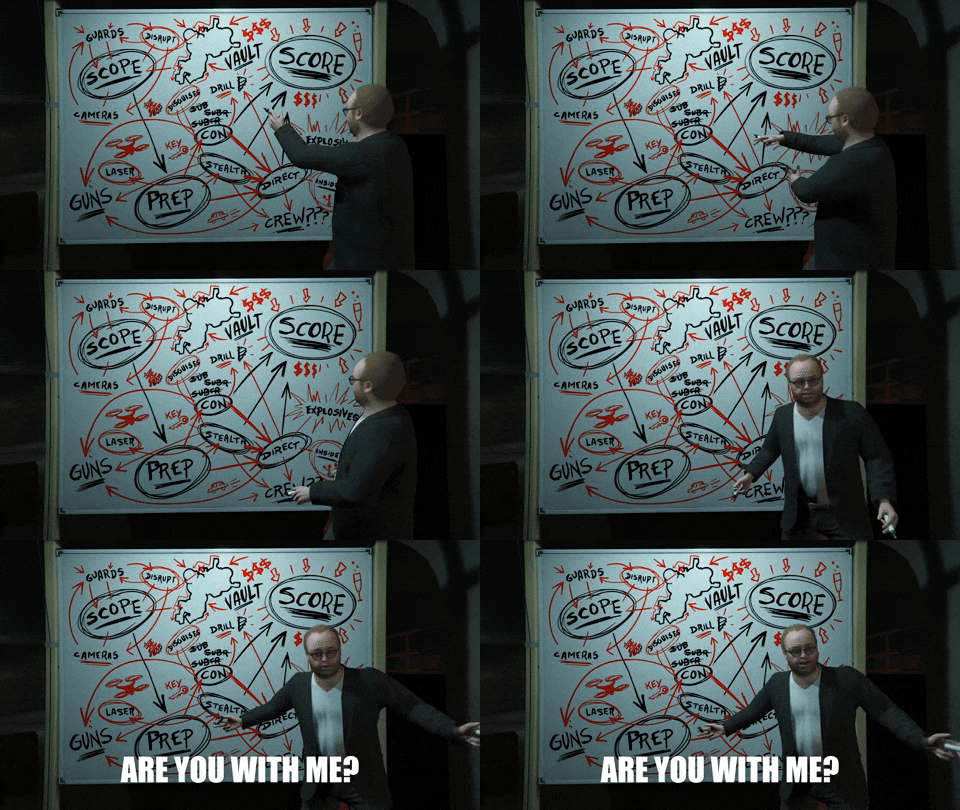
It’s the same cycle as creating another folder or switching to a new app: the mess just expands to a bigger surface.
Obsidian is the upgrade from the kitchen table to a whole house for studying — and this house comes with a friendly ghost whose only job is to keep everything perfectly organized.
Each course becomes its own room.
Each module gets its own corner or shelf.
Everything has a clear place, and nothing gets lost in the chaos.
But the real upgrade isn’t the size of the house.
It’s how you move inside it.
In a normal study setup, if your notes lived in separate rooms, you’d have to walk around to find things. Module notes in one binder, formulas in another, examples somewhere else.
In Obsidian, you don’t walk.
You teleport…

Every note becomes a portal.
Click a concept and you jump to the lecture where you learned it
Click a formula and you jump to the examples where you used it
Click the module summary and you jump to all the knowledge notes that feed into it
You can stand in the “Statistics” room and open a portal straight into “Algebra” to see how the ideas connect, without leaving your spot.
It’s a mansion where any wall can open to exactly the idea you need, exactly when you need it.
How the Study Vault Works
(Capture → Structure → Retrieve)
The core loop of the Study Vault is simple:
Log your study session on the Daily Note
Create a Study Event inside the correct Module
Generate Knowledge Notes as you learn
Let the tags and structure place everything into the right Knowledge Base
Retrieve anything later in perfect context
This loop is the 80/20 of high-quality studying.
Flow 1: Daily Note → Study Event → Knowledge Notes → Knowledge Base
Let’s walk through it.
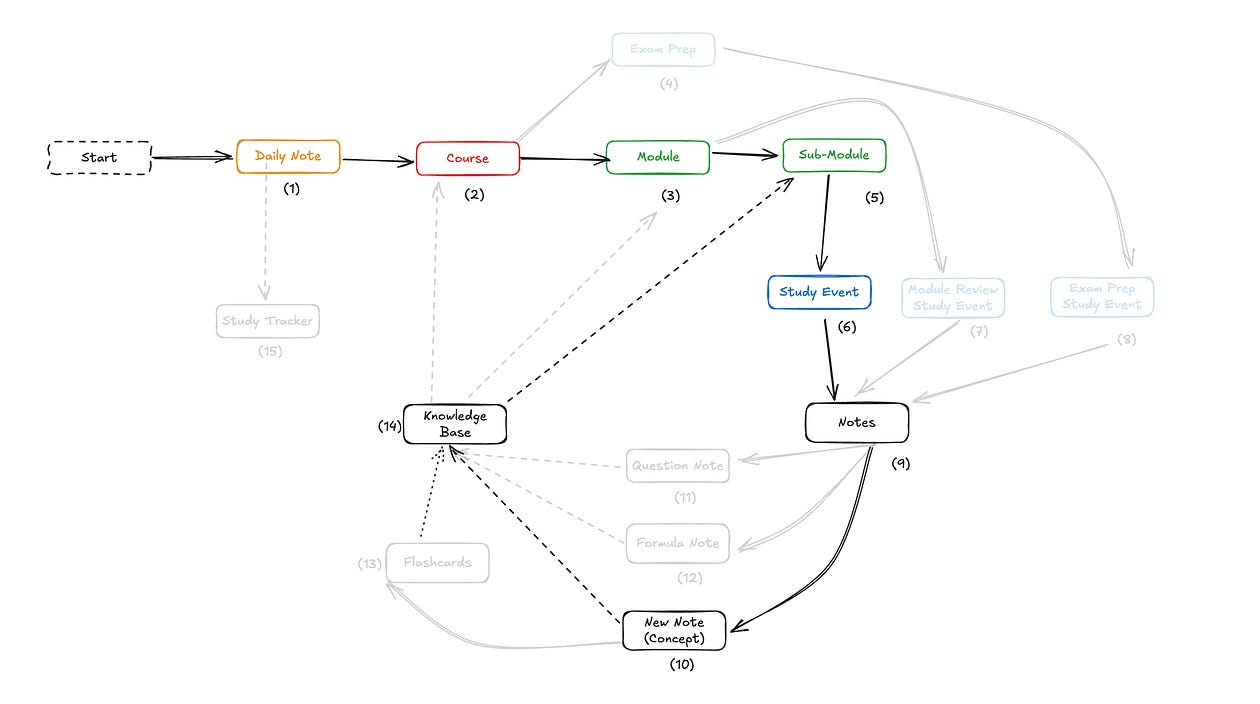
Step 1: Log on the Daily Note
You begin by writing down what you plan to work on today.
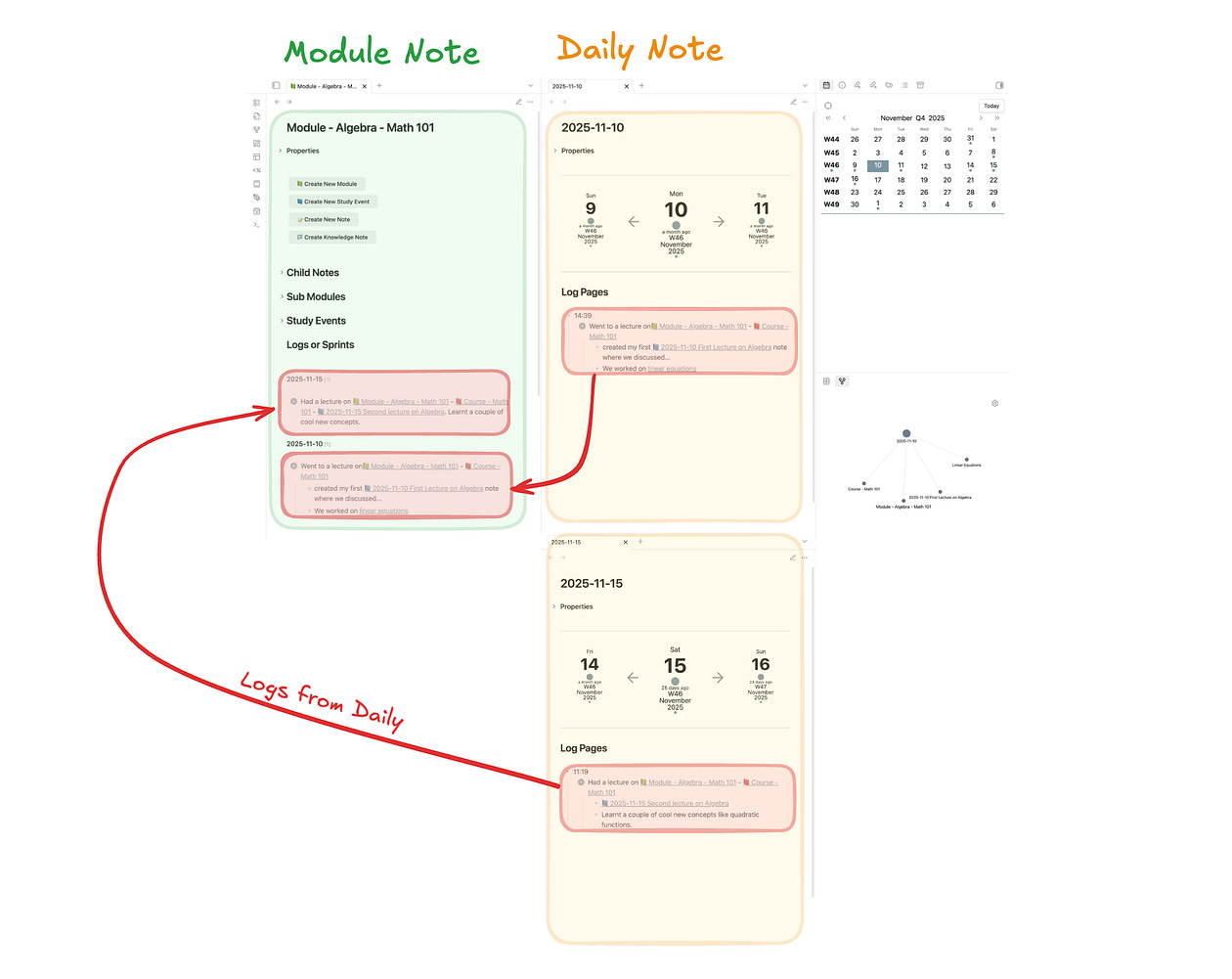
Your goal is to create a history of all the times you studied Math 101, Algebra, or any module inside them.
Your course homepage might look like this:
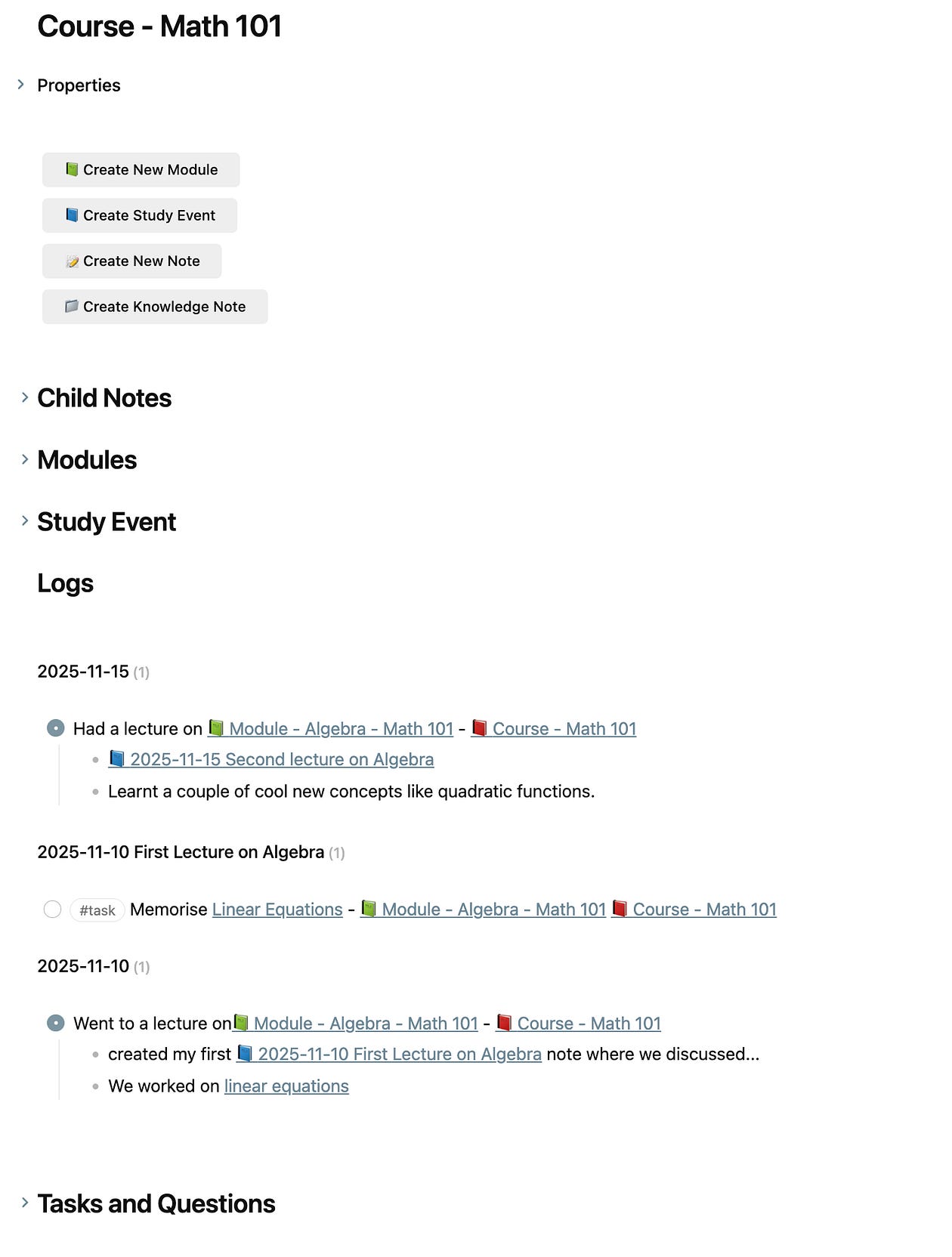
The “Logs” section gathers every moment you worked on the course.
These breadcrumbs come directly from your Daily Notes.
This is a simple entry, for example:
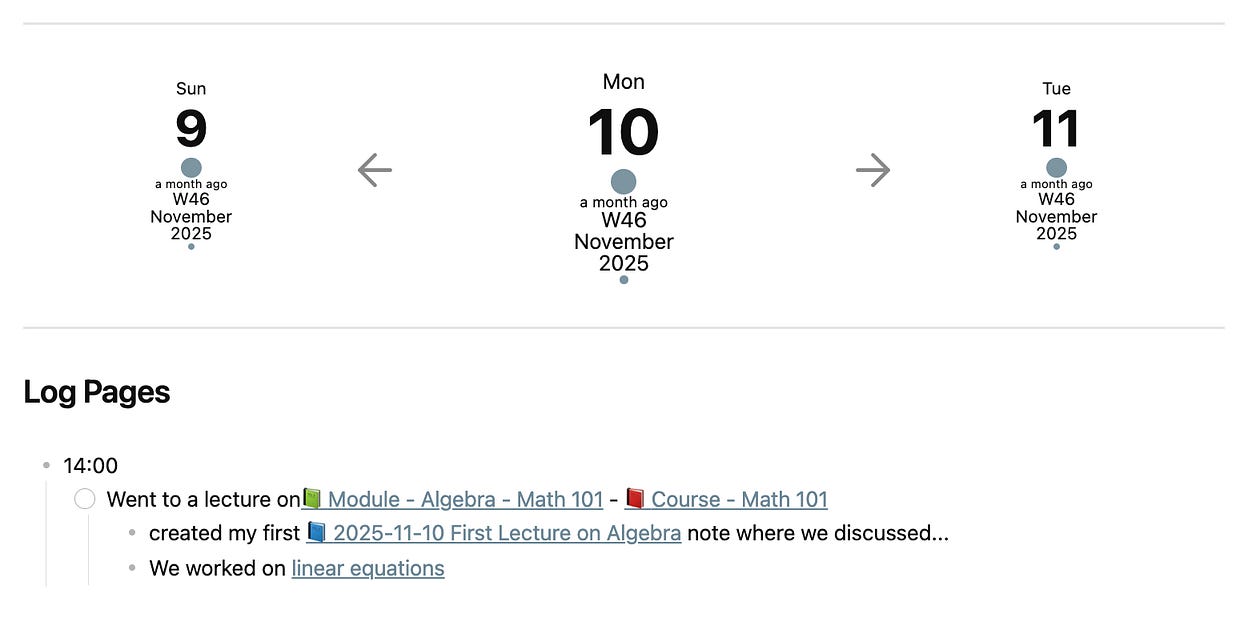
That’s enough for the system to track the chronology of your effort.
Step 2: Create a Study Event from the Module
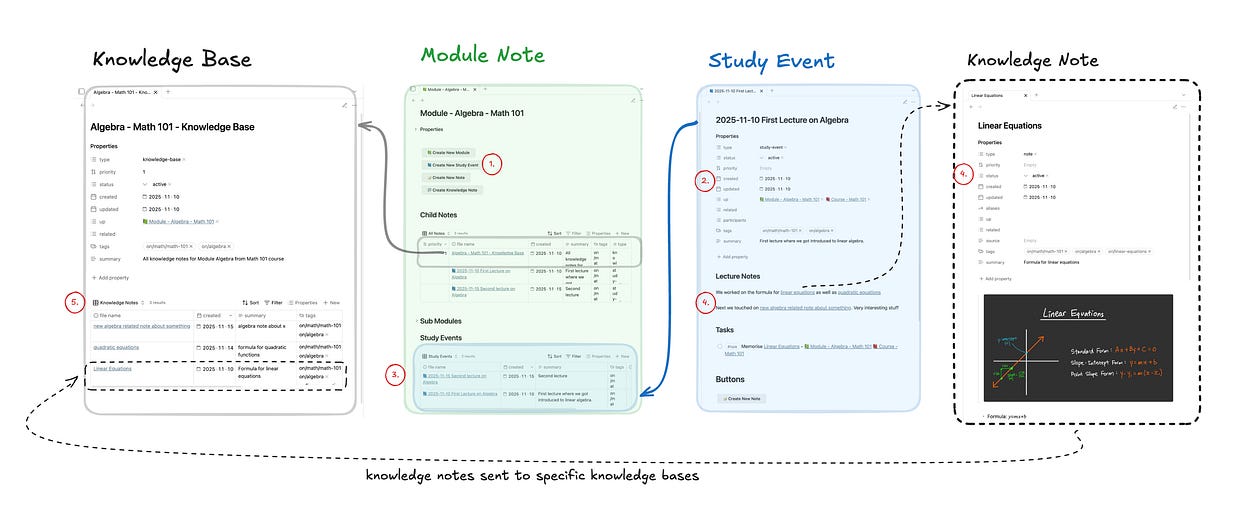
To keep your structure clean, always create a Study Event directly from the Module note.
Why this matters
When you click “Create New Study Event” (1):
The Study Event is automatically linked to the correct Module and Course (2)
The Study Event appears instantly inside the Module’s Study Events table (3)
You avoid manual metadata mistakes that break retrieval later
Inside the Study Event, you take your actual lecture notes and document what you’re learning.
As you go, you may create new Knowledge Notes (4) for concepts, formulas, or questions.
Step 3: Knowledge Notes Flow Into the Knowledge Base
Every Knowledge Note uses simple, consistent tags like:
#on/math/math-101
#on/algebra
These tags tell Obsidian exactly which Course, Module, and topic the note belongs to.
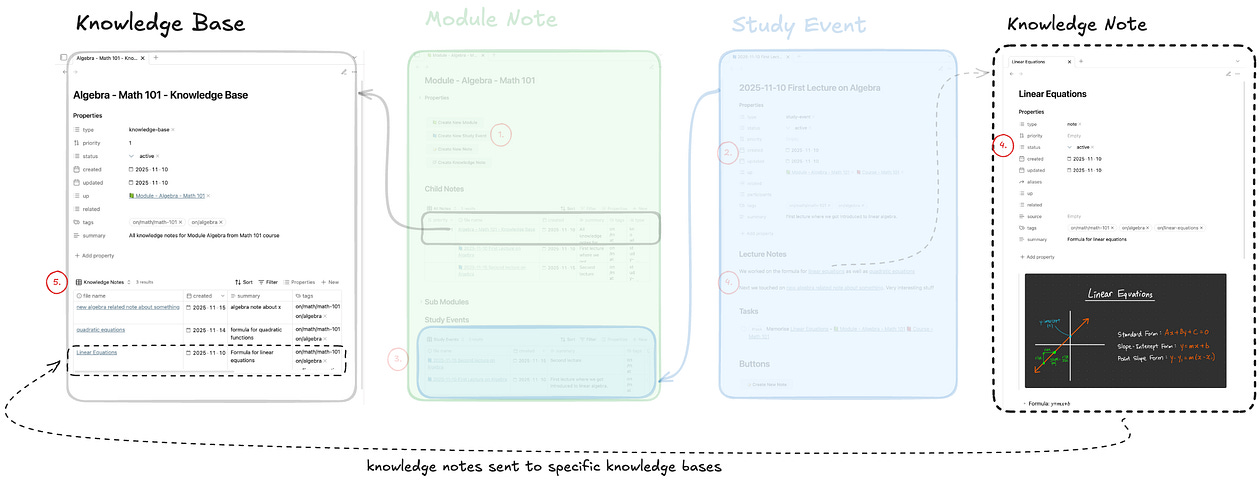
Because your Module has its own Knowledge Base note, all Knowledge Notes automatically collect there. In the diagram, you can see the Knowledge Base gathering these notes in the table view (5).
What this gives you
every concept you learned in the module
grouped cleanly and consistently
instantly retrievable
with backlinks to the exact Study Events where the knowledge came from
This completes the full loop of the Study Vault:
Daily Note → Study Event → Knowledge Notes → Knowledge Base → Instant Retrieval
What You End Up With
A system where:
Daily Notes
Track the when: the chronology of your studying.
Module Notes
Track the where: the structure of your learning.
Study Events
Capture the what: the actual content created while studying.
Knowledge Notes + Knowledge Bases
Unlock the how: the connections between ideas and the ability to retrieve them instantly.
This is the foundation of the Study Vault — the system that turns studying into something clean, connected, and, dare I say… very nice.

Curious about using this system yourself?
Products and Services
🔗 Weekly Email Newsletter: A short weekly message about what I am working on, what I discovered recently, and some exclusive offers…
🔗 Obsidian Consulting: Quick results with your Knowledge Management setup or I don’t get paid…
🔗 Obsidian Setups: Journal, Work, Study, Writing…
🔗 Obsidian Courses: Obsidian 101, Study, Writing…
🔗 YouTube Channel: Free tutorials baby…
🔗 Website: Website to everything else…
Website | YouTube | X / Twitter | Newsletter