
The System Base — How I’m Keeping My Obsidian Healthy
You know that moment when you open Obsidian and something feels off. A few duplicate templates here, a random screenshot there, and notes with names like “untitled 34”.

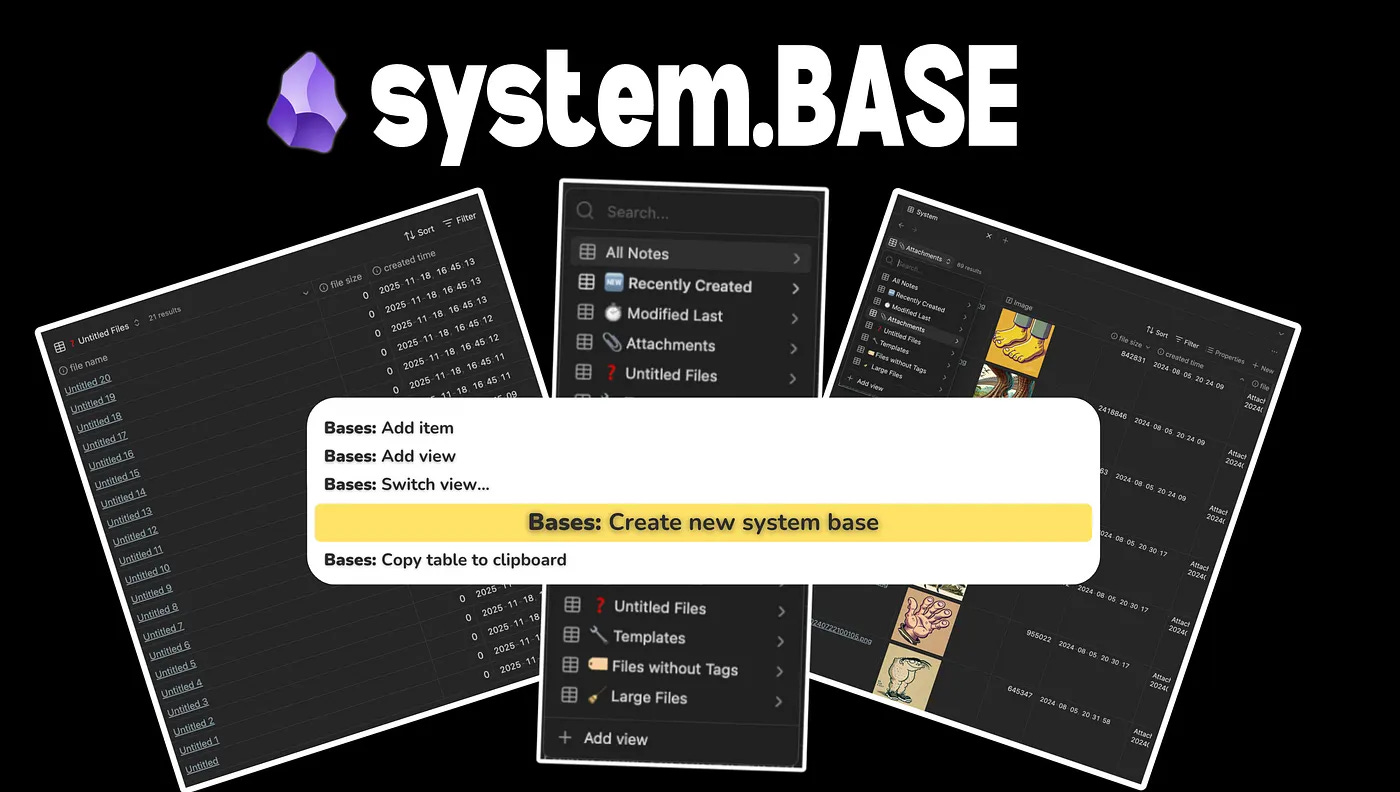
That was my vault for months.
I have been using Obsidian for almost five years. I am fairly convinced I sit somewhere in the top 0.000001 percent of obsessive users. I even turned it into a fun little side-business where I teach people the gospel of Obsidian.
For those of us who have used Obsidian longer than six months, we eventually realise it is not just a program.
It becomes a thinking partner.
A friend.
A confidant.
And I want my partner, friend, confidant to stay healthy.
This is where the System Base comes in. Think of it as a smartwatch that keeps track of your vault’s vitals.
It keeps your other half healthy. <3
Obsidian Base
Obsidian Base finally arrived and it has made my entire vault significantly better. A week ago I published my first Base video on YouTube. It is the start of a four-part series.
Obsidian Base has been a huge upgrade, but it also made me realise how much maintenance my vault actually needed.
A while back I tried to open my mobile app and it kept crashing. After a long day of investigating, redownloading, and reloading my vault, and even contacting Obsidian support, I finally found the problem.
A few large files had pushed my phone’s memory to its breaking point. That was the moment I knew I needed a better way to monitor what was silently clogging my vault. That idea eventually became the System Base.
Enter the “System Base”
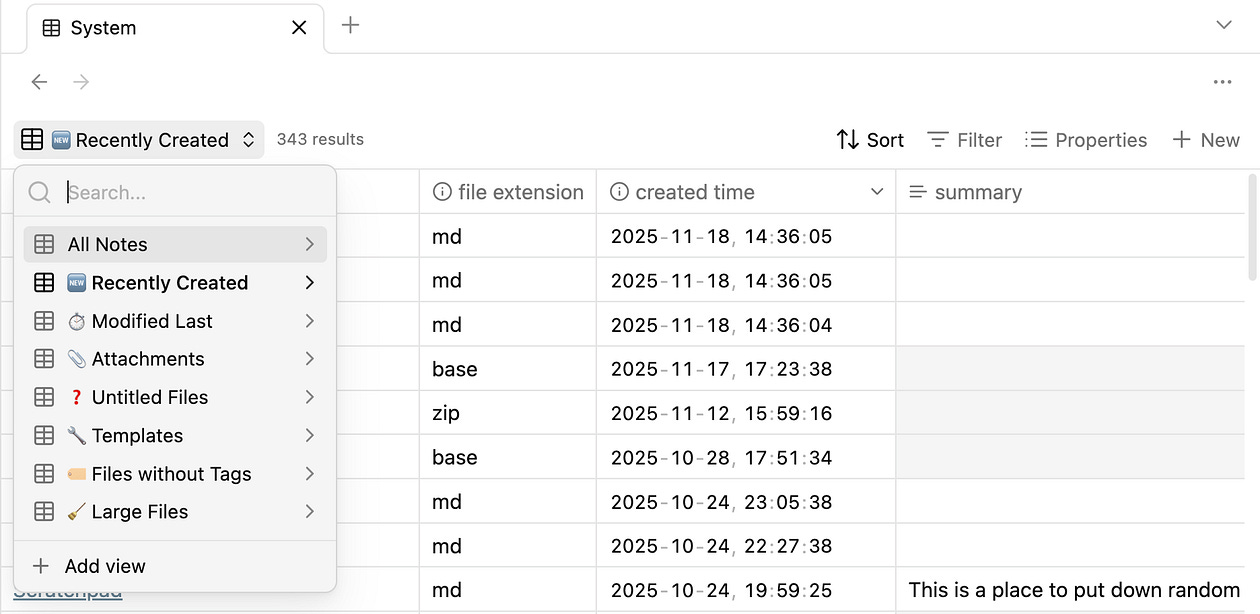
Remember, kids: what you can’t see, you can’t manage. The System Base gives you a clear view of the parts of your system that have been neglected or slowly collecting dust without your awareness.
If you do not want to create it yourself, you can download the full System Base setup for free here.
These are the views I currently use. It is not a complete list, so I would love to hear what else you would add.
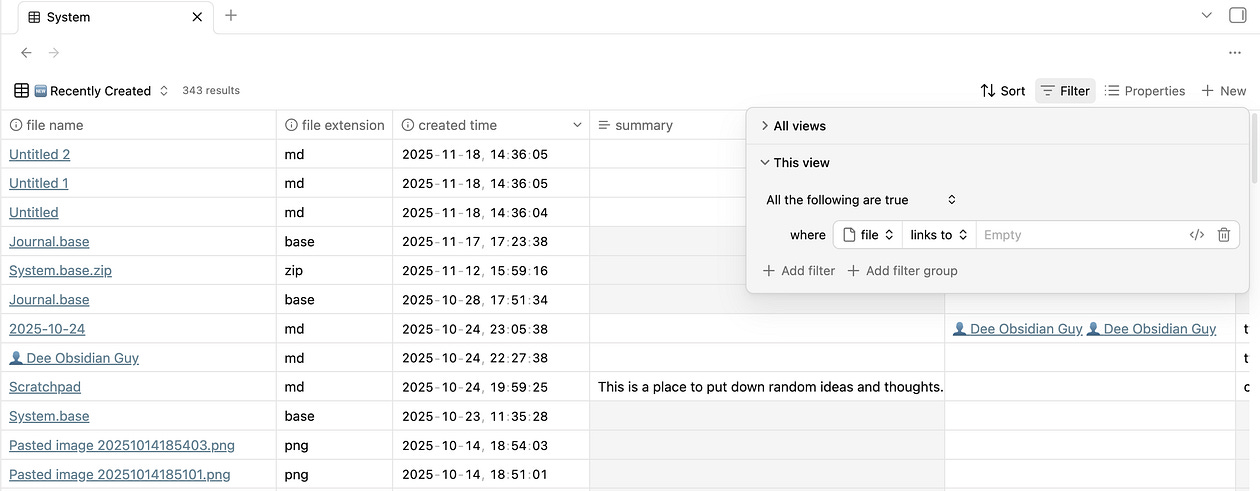
Recently Created
filter: none
Sort: created time new to old
Recently Modified
filter: none
Sort: modified time new to old
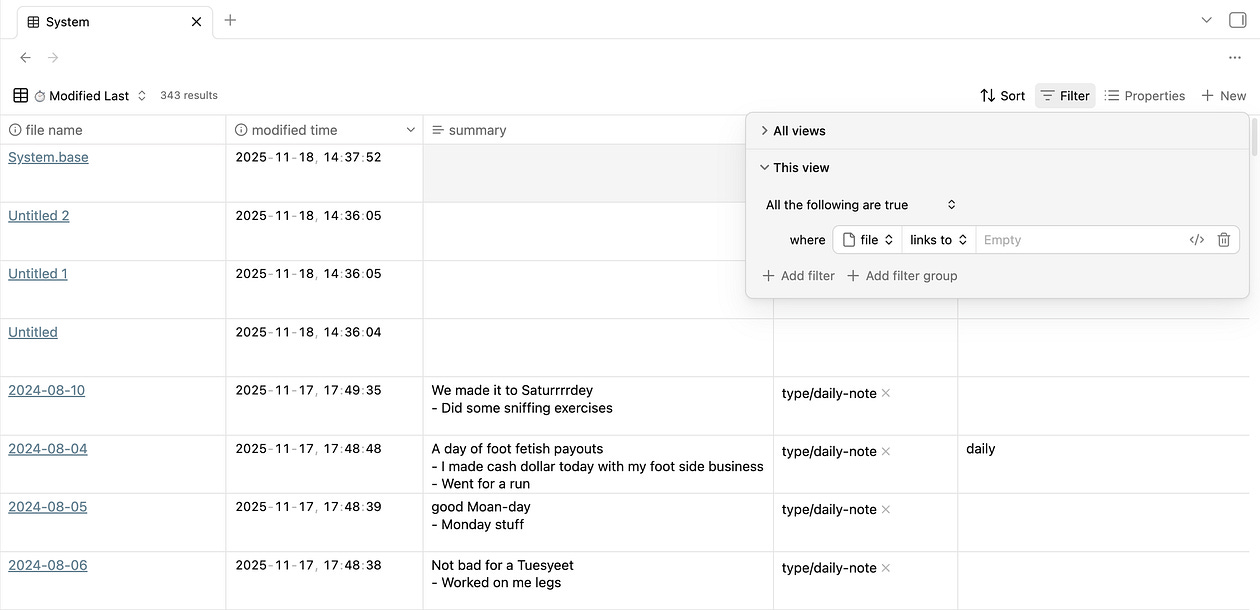
I embed this view inside a note called Recently Modified and keep it pinned to my left sidebar. It allows me to jump between active files throughout the day and gives me another fast way to retrieve notes.
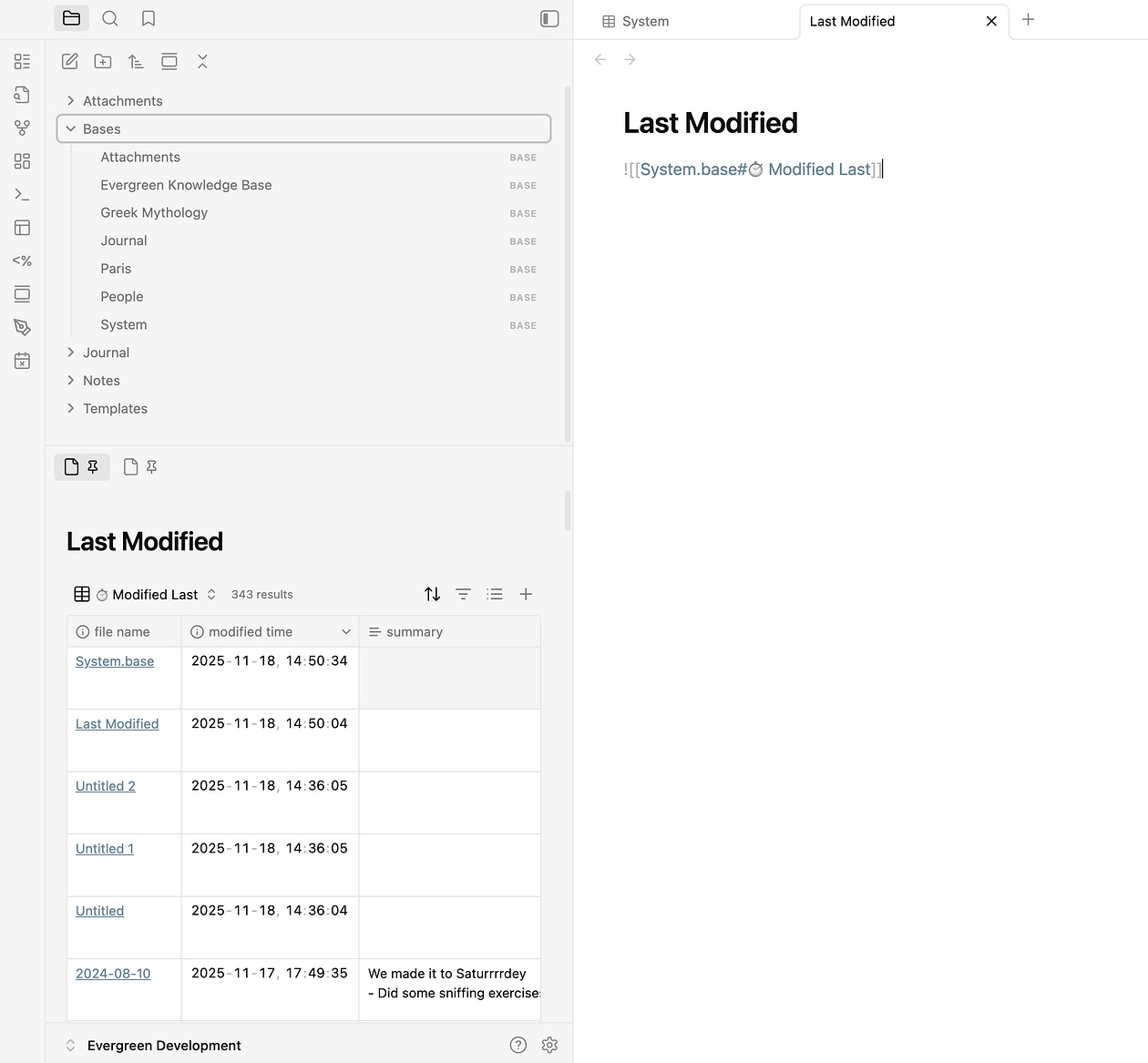
Yet another way to retrieve notes quickly.
Attachments
filter: file.path.contains(“Attachment”)
sort: file size 1 to 0
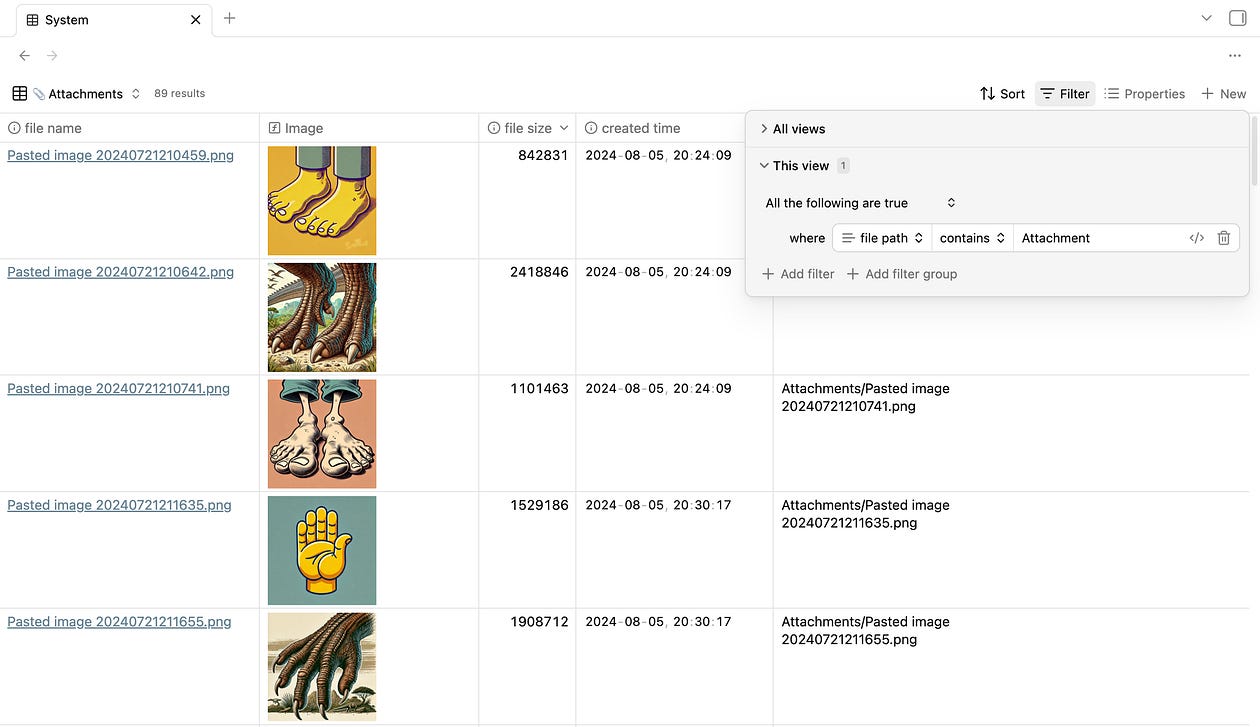
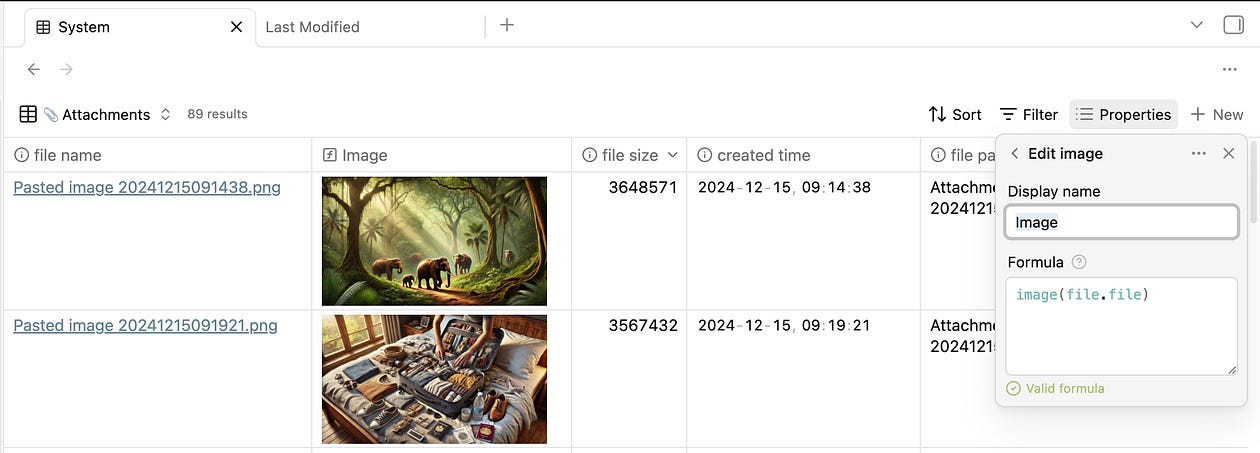
To display images inside the table, create a new property and use this formula:
image(file.embeds[0])
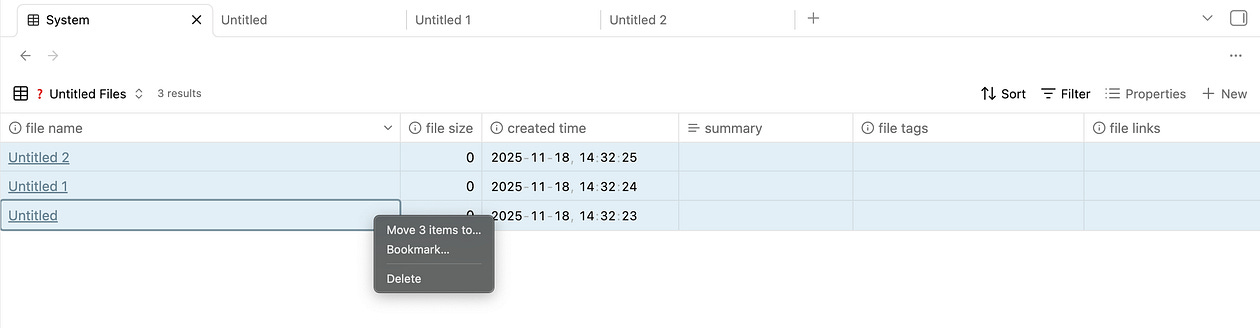
Untitled files
filter: file.name.containsAny(“untitled”)
sort: modified time new to old
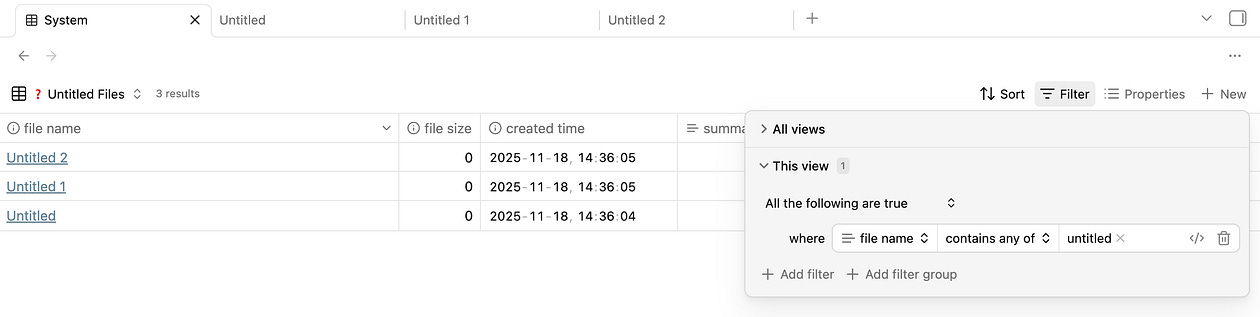
The reason I love this one so much is that you can select all — then delete!
Templates
filter: file.path.containsAny(“templates”)
modified time new to old
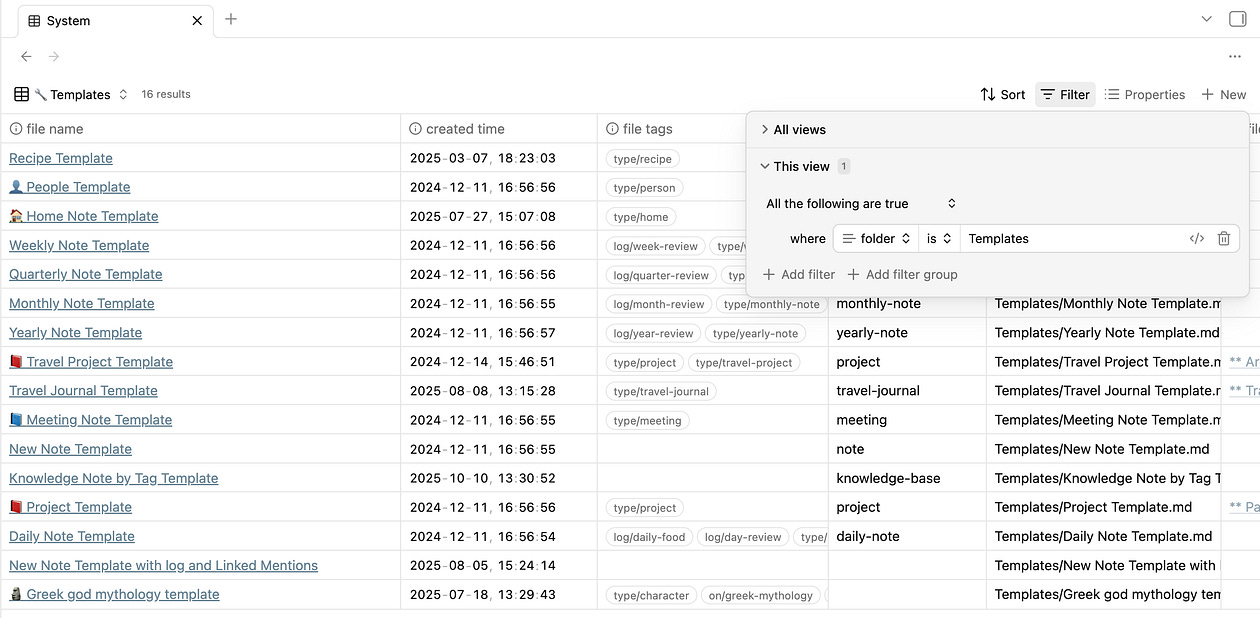
A clean way to review templates you no longer use.
Files without tags
filter file.tags.isEmpty() and file doesn’t reside in the Templates, Attachments, or Bases folder.
sort: created time new to old
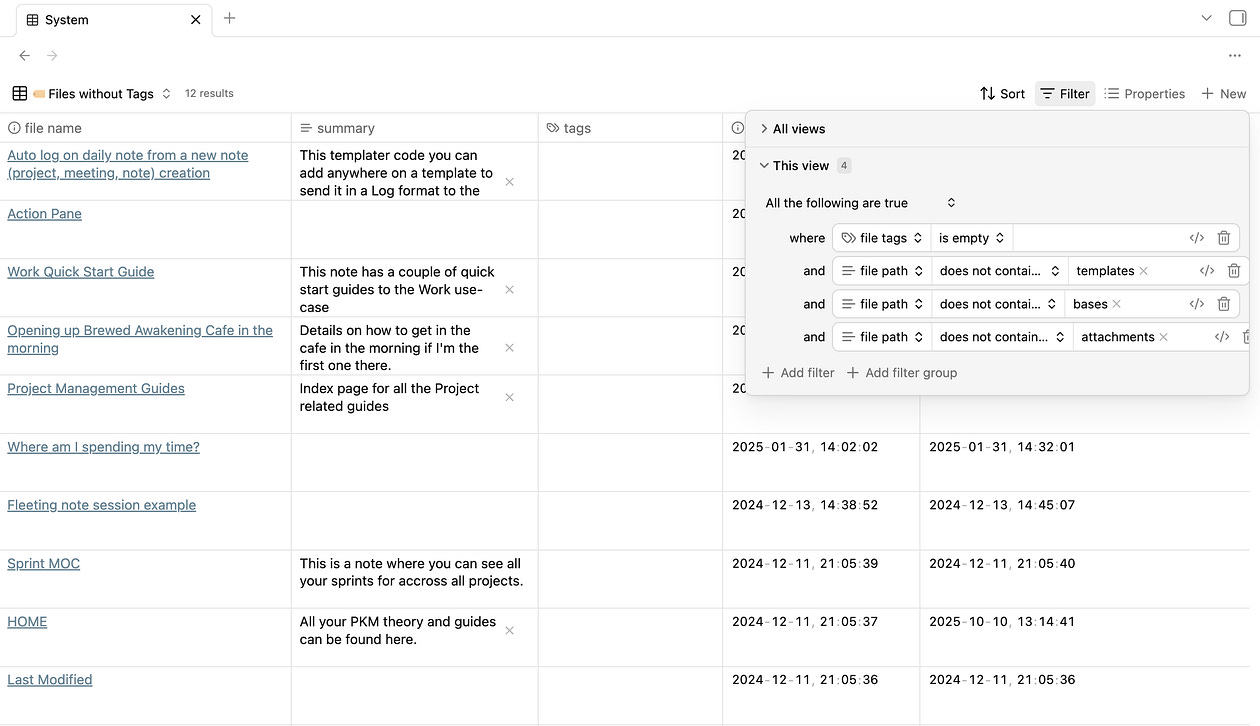
This helps me add missing tags directly inside the table without opening each individual note.
Large files
filter: file.size > 500000 and !file.path.contains(“templates”)
sort: file.size 1 to 0
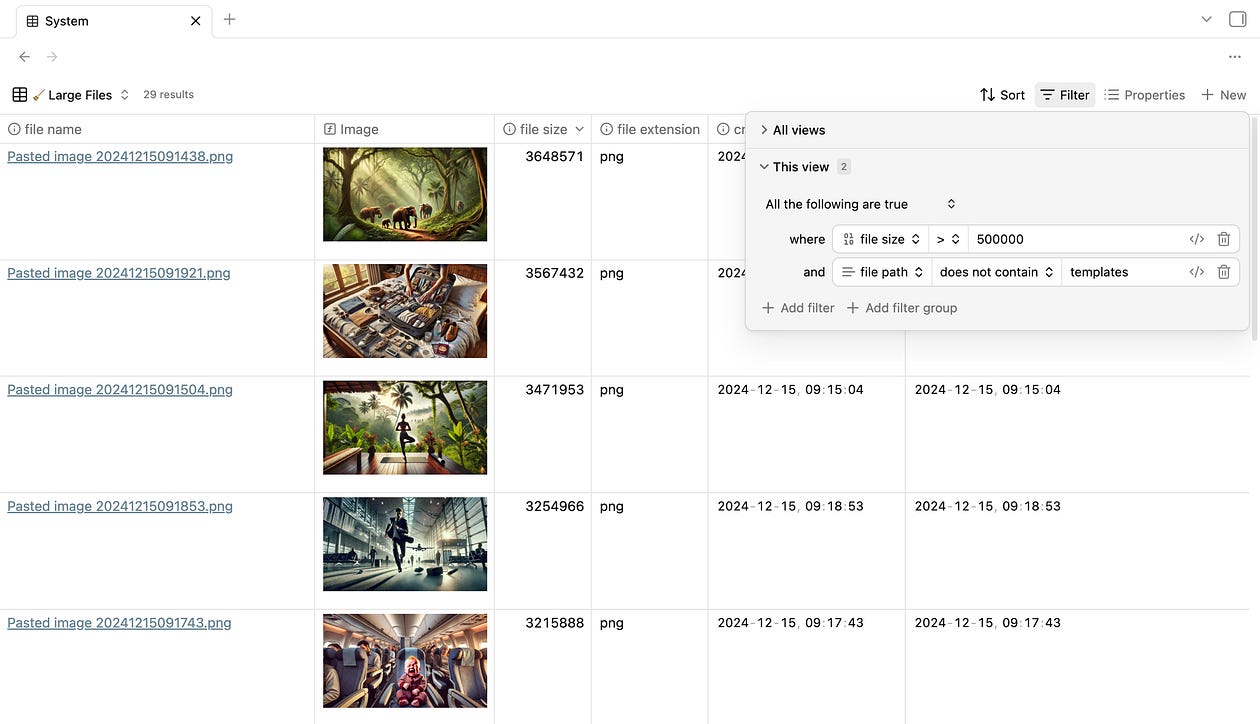
This is perfect for finding unnecessarily large files that clog your vault and slow the mobile app.
Closing thoughts
A healthy vault saves time, reduces friction, and keeps your system enjoyable.
Each one of these views gives you a new way to look at your vault. It is a small addition to your knowledge system, but one that creates a long-term payoff.
You can download the full System Base setup for free here.
Or you can watch the section of my Obsidian Base video where I show the filters and explain the logic behind them.
Products and Services
🔗 Weekly Email Newsletter: A short weekly message about what I am working on, what I discovered recently, and some exclusive offers…
🔗 Obsidian Consulting: Quick results with your Knowledge Management setup or I don’t get paid…
🔗 Obsidian Setups: Journal, Work, Study, Writing…
🔗 Obsidian Courses: Obsidian 101, Study, Writing…
🔗 YouTube Channel: Free tutorials baby…
🔗 Website: Website to everything else…